Why this sample
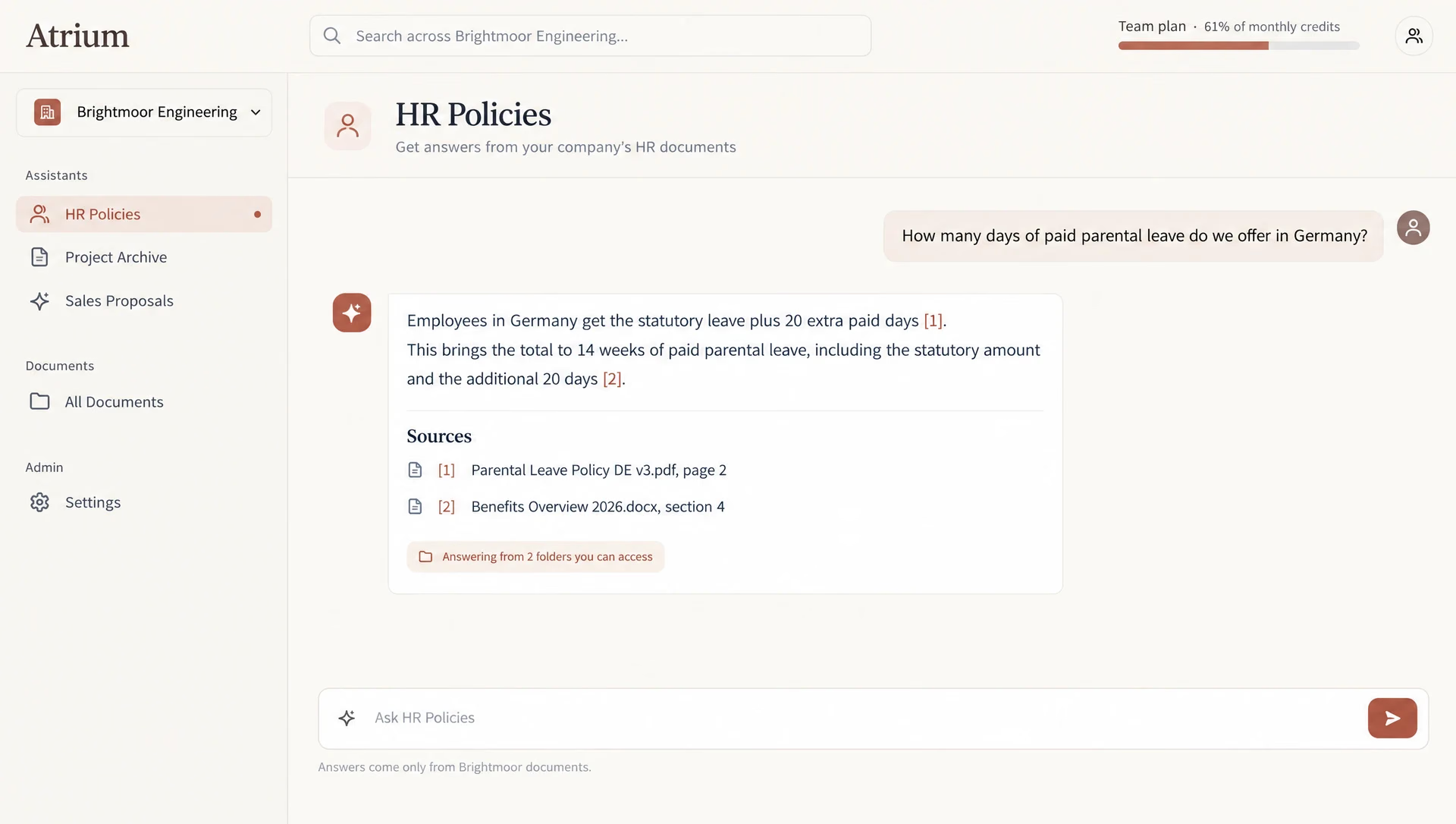
Many companies want an assistant over their own documents, but they will not share one with other companies, and not every employee may read every file. Selling that as a product means real tenancy, permissions that follow each user, and billing that tracks usage. That is Platform-tier work: the hard part is the walls between customers, not the chat box.
This is a sample build. There is no client, and nothing here is a result from a real company.
What it does
- Gives each customer company its own document store, search index and audit log.
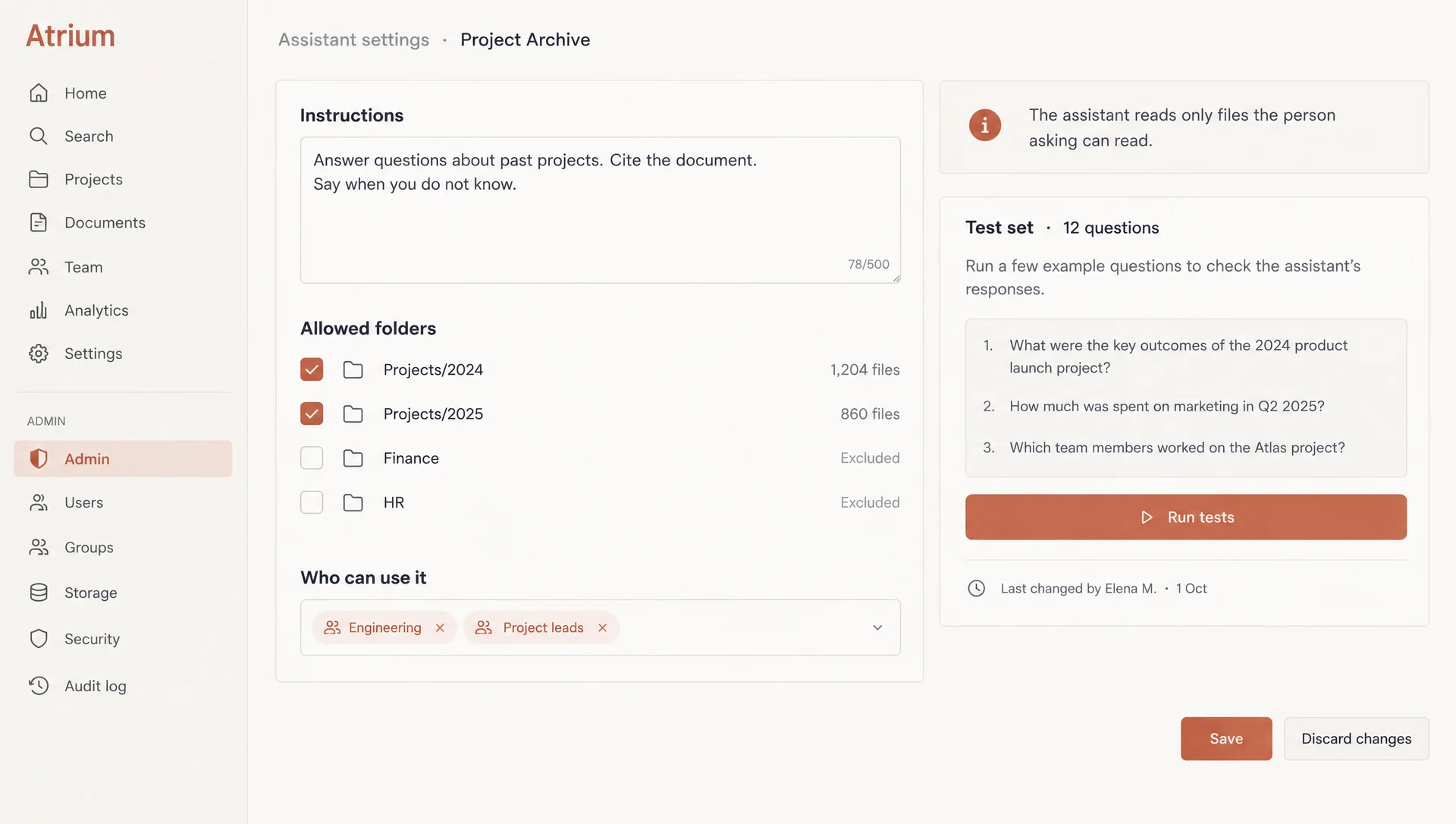
- Lets company admins build assistants with instructions and a list of allowed folders.
- Answers only from documents the asking user is allowed to read, with citations.
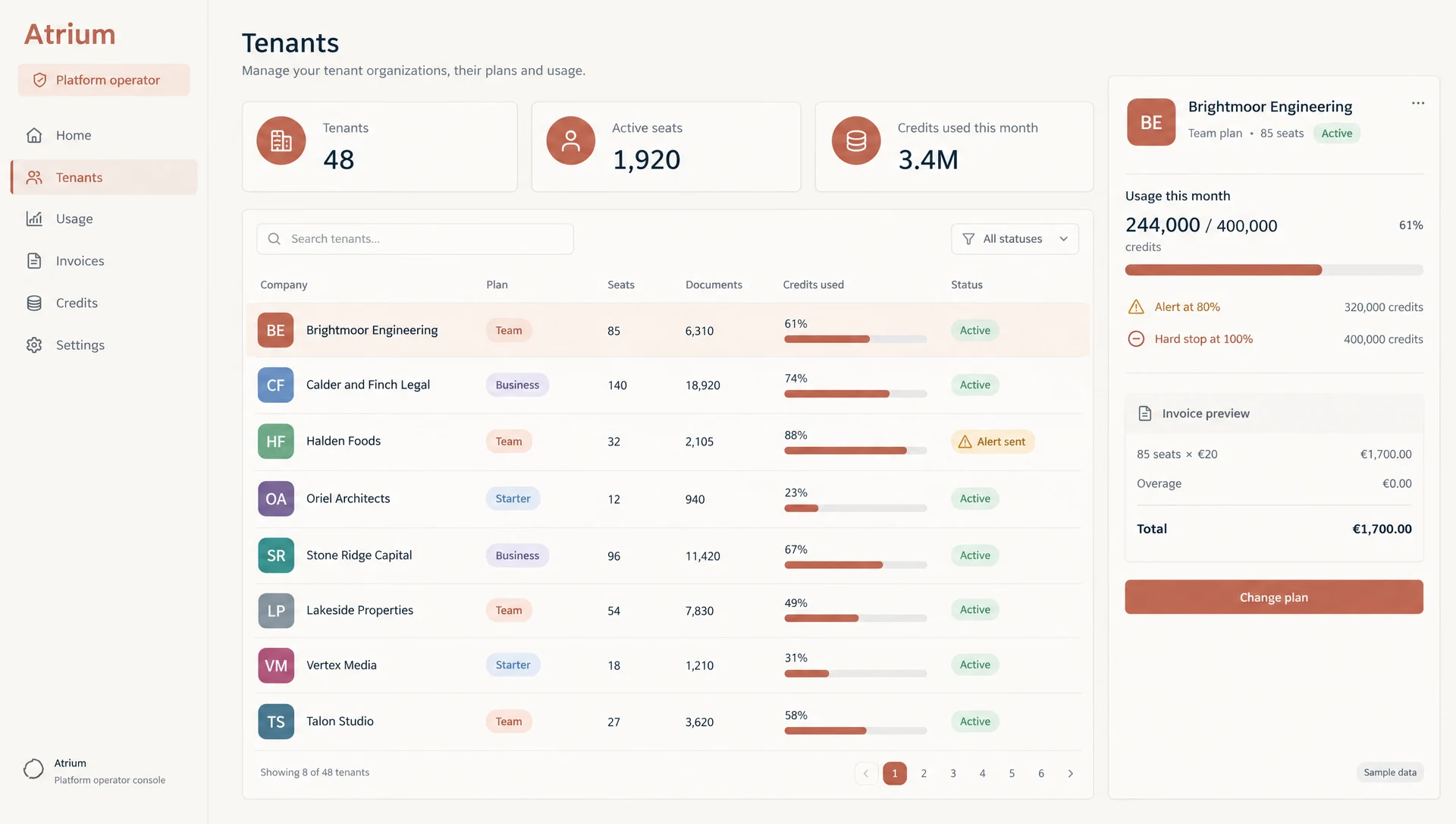
- Meters usage per company and per user, with alerts and hard limits.
- Bills each company by plan, seats and usage.
- Gives the platform team an operator console for tenants, plans and support.
The AI part
Assistants answer from the company’s own documents and must cite them. Before the model sees anything, search filters by company and by the asking user’s file permissions, in code. The model never chooses what it may read, and one company’s data never enters another company’s index or prompt. If no allowed document fits, the assistant says so.
Each assistant has a set of test questions that the company admin can run after changing it. Before launch we would run a leak test: users in one company try to pull data from another, and the test must find nothing.
Where it stops
No model training on customer data and no actions in outside systems. More file connectors, and assistants that take actions, are later phases, each with its own permission work.
Timeline
| When | What happened |
|---|---|
| Weeks 1 and 2 | Tenants, single sign-on, roles, row-level security, audit log. |
| Weeks 3 and 4 | Document upload and sync, parsing, a search index per tenant, permission checks at query time. |
| Weeks 5 and 6 | Assistants with instructions, allowed folders and cited answers; a test set per assistant. |
| Weeks 7 and 8 | Usage metering per tenant and user, limits and alerts, billing plans. |
| Weeks 9 and 10 | Company admin console, operator console, data export and deletion. |
| Weeks 11 and 12 | Load test with many tenants, a cross-tenant leak test, security review, handover. |