Why this sample
Most SaaS teams start with an admin page built in a hurry, then answer support tickets with database queries. That is slow, and it is risky: anyone with access can change anything, and nobody knows who did what. A proper admin console with limits and an audit trail is a typical Product-tier job: one app, a few roles, and strict rules.
This is a sample build. There is no client, and nothing here is a result from a real company.
What it does
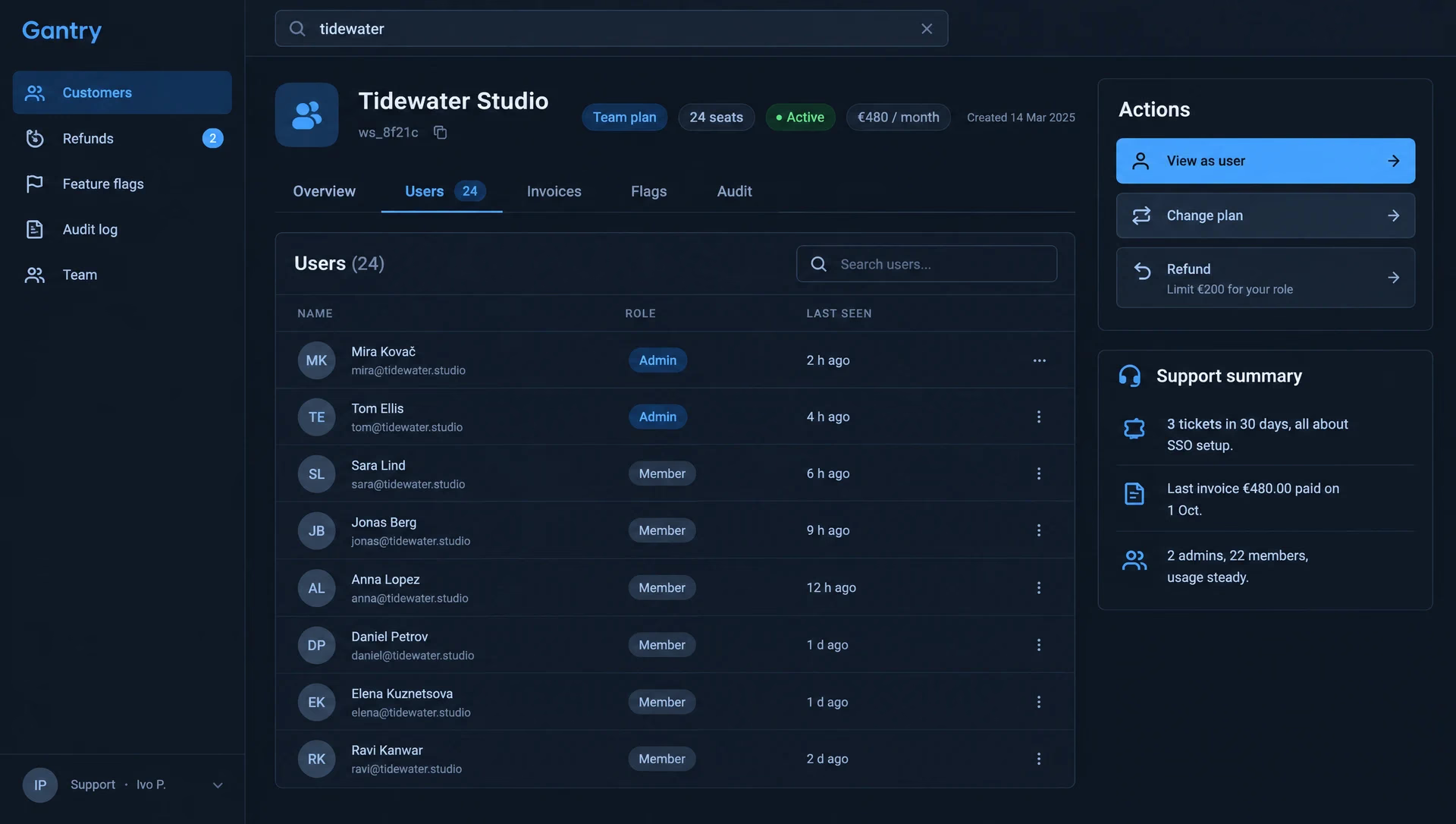
- Finds any customer by name, email, workspace ID or invoice number.
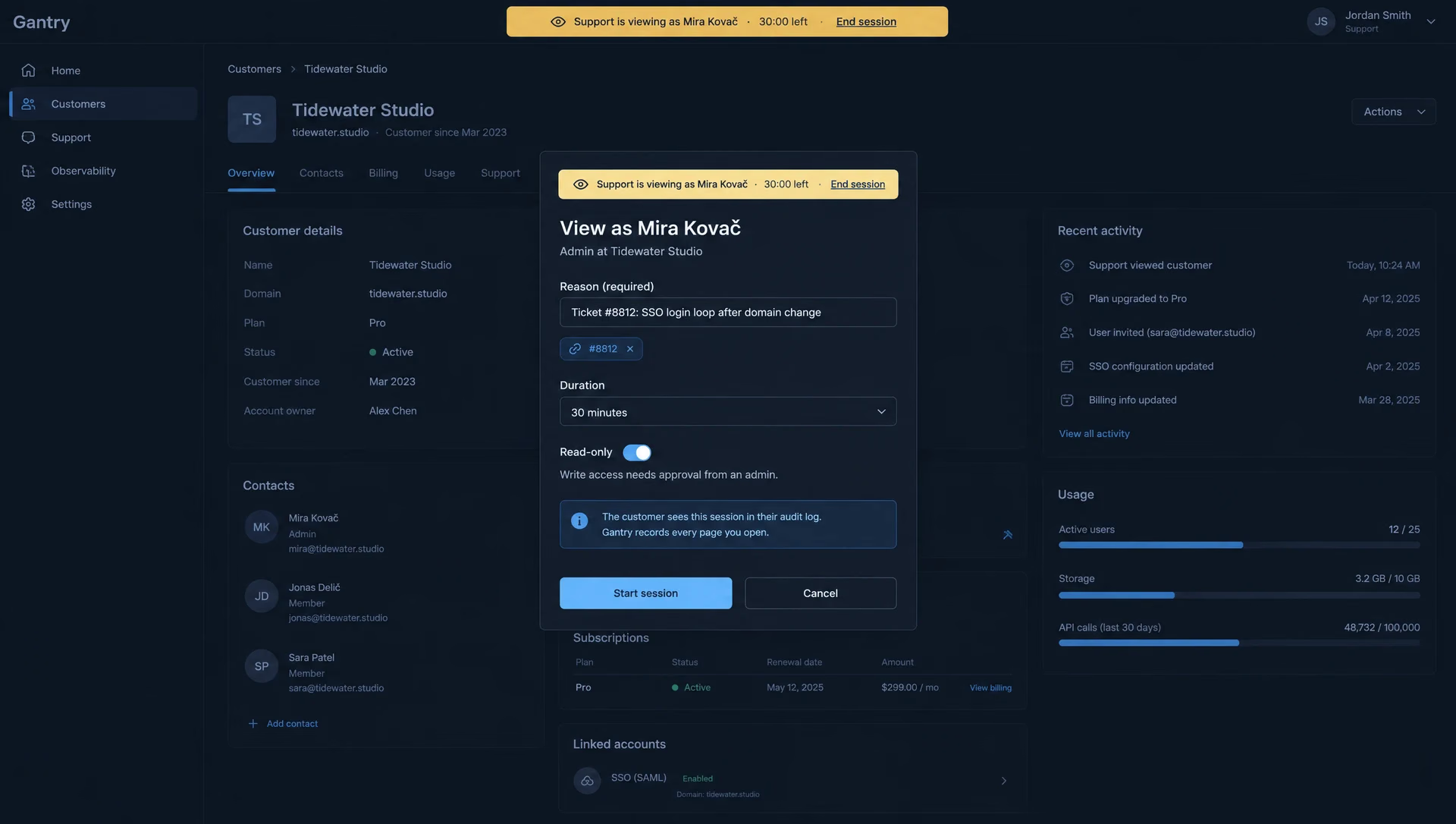
- Lets support view the product as a user, with a reason, a time limit and read-only by default.
- Changes plans and issues refunds through the billing system, within limits per role.
- Sends refunds above the limit to a second approver.
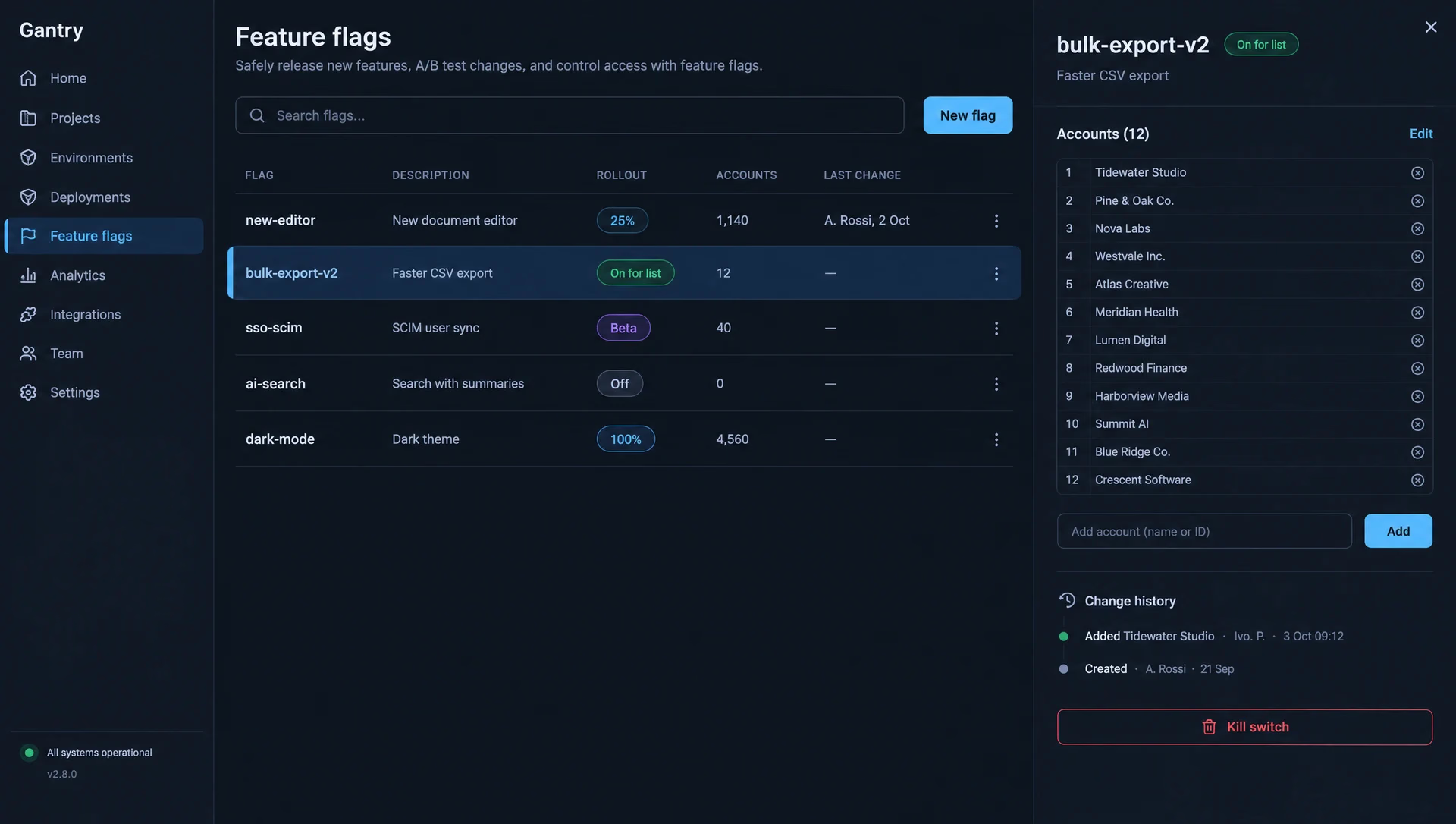
- Switches feature flags per account or by percentage, with a full history.
- Logs every action, and shows the customer their own impersonation sessions.
The AI part
The AI part is small on purpose. On each customer page, a model writes a three-line summary from recent tickets, invoices and usage, so support knows the story before opening anything. It cannot run actions, it never sees passwords or payment details, and it is not present inside an impersonation session. Everything that changes data is a normal button with a limit and a log line.
We would check summaries by hand against the source records for a sample of accounts, and test that no field outside the allowed list ever reaches the model.
Where it stops
No changes to the customer-facing product and no hand edits in the database. Bulk actions across many accounts are a later step, with their own approval flow.
Timeline
| When | What happened |
|---|---|
| Week 1 | Single sign-on, roles and limits, an append-only audit log, read replica access. |
| Week 2 | Search across accounts, users and invoices; the customer page. |
| Week 3 | Impersonation with a reason, a 30-minute limit, a banner in the product, read-only by default. |
| Week 4 | Plan changes and refunds through the billing API, limits per role, a second approver above them. |
| Week 5 | Feature flags per account and by percentage, change history, the support summary. |
| Week 6 | Security review, load test on search, runbook and handover. |