Why this sample
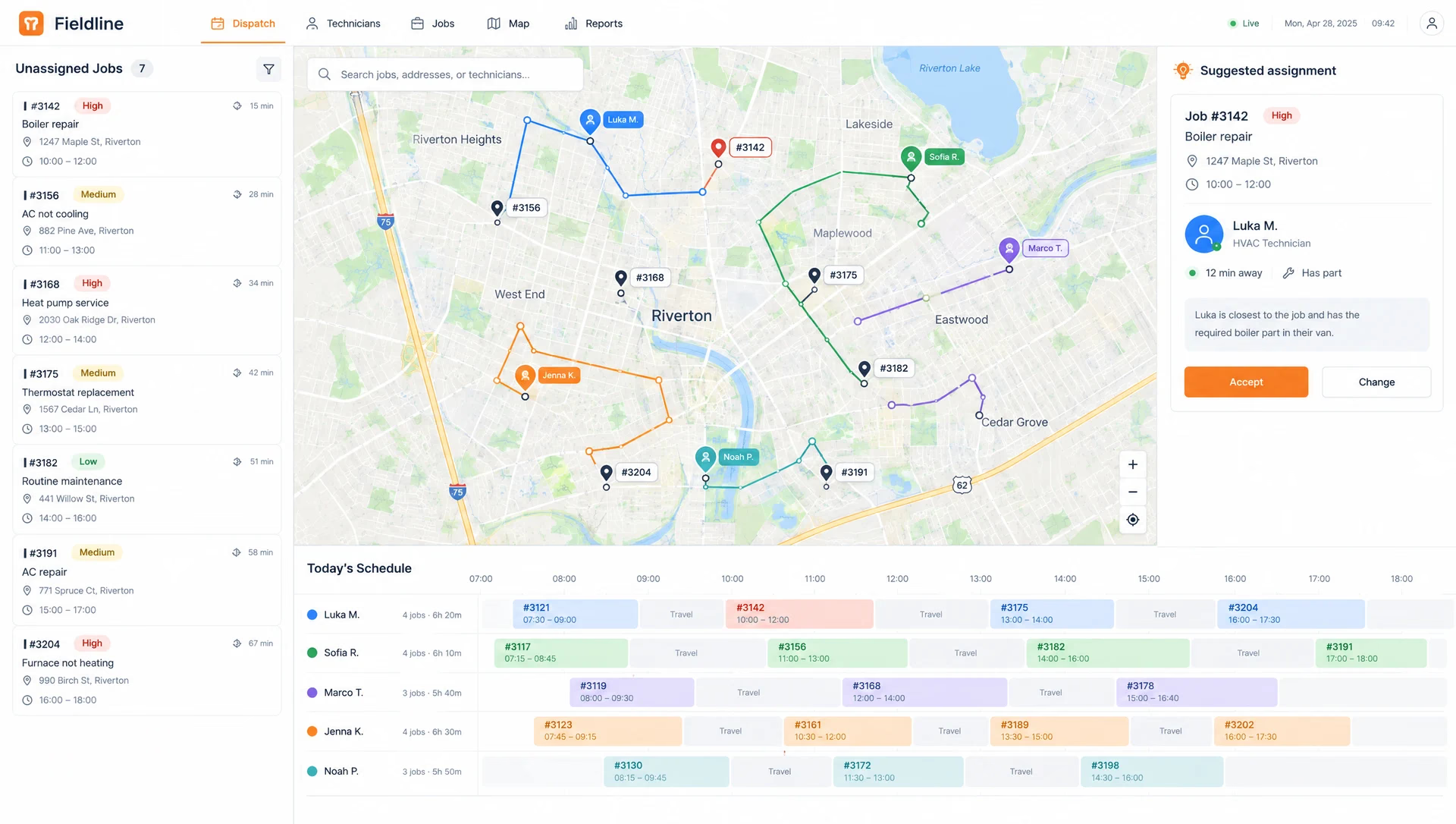
Many service companies still dispatch from a whiteboard and a group chat. Jobs get lost, and reports are written at night from memory. A board plus a technician app is a solid Product-tier build: two apps, offline work, and a clear daily routine to support.
This is a sample build. There is no client, and nothing here is a result from a real company.
What it does
- Dispatchers see open jobs, technicians and routes on one screen.
- The board suggests who should take a job: skills, distance and parts in the van.
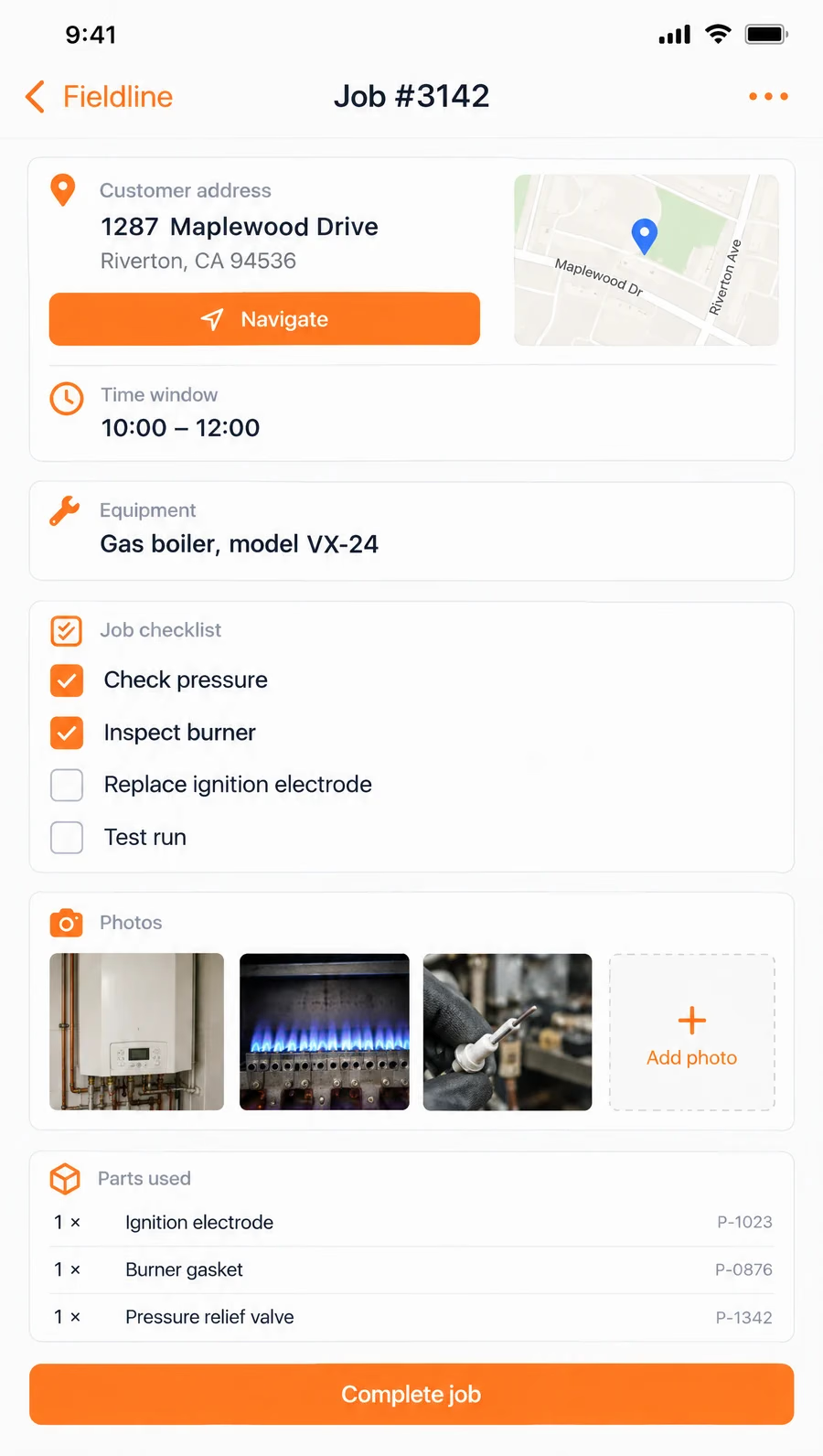
- Technicians get the job, the address, a checklist and the equipment details.
- The app works without signal and syncs when it can.
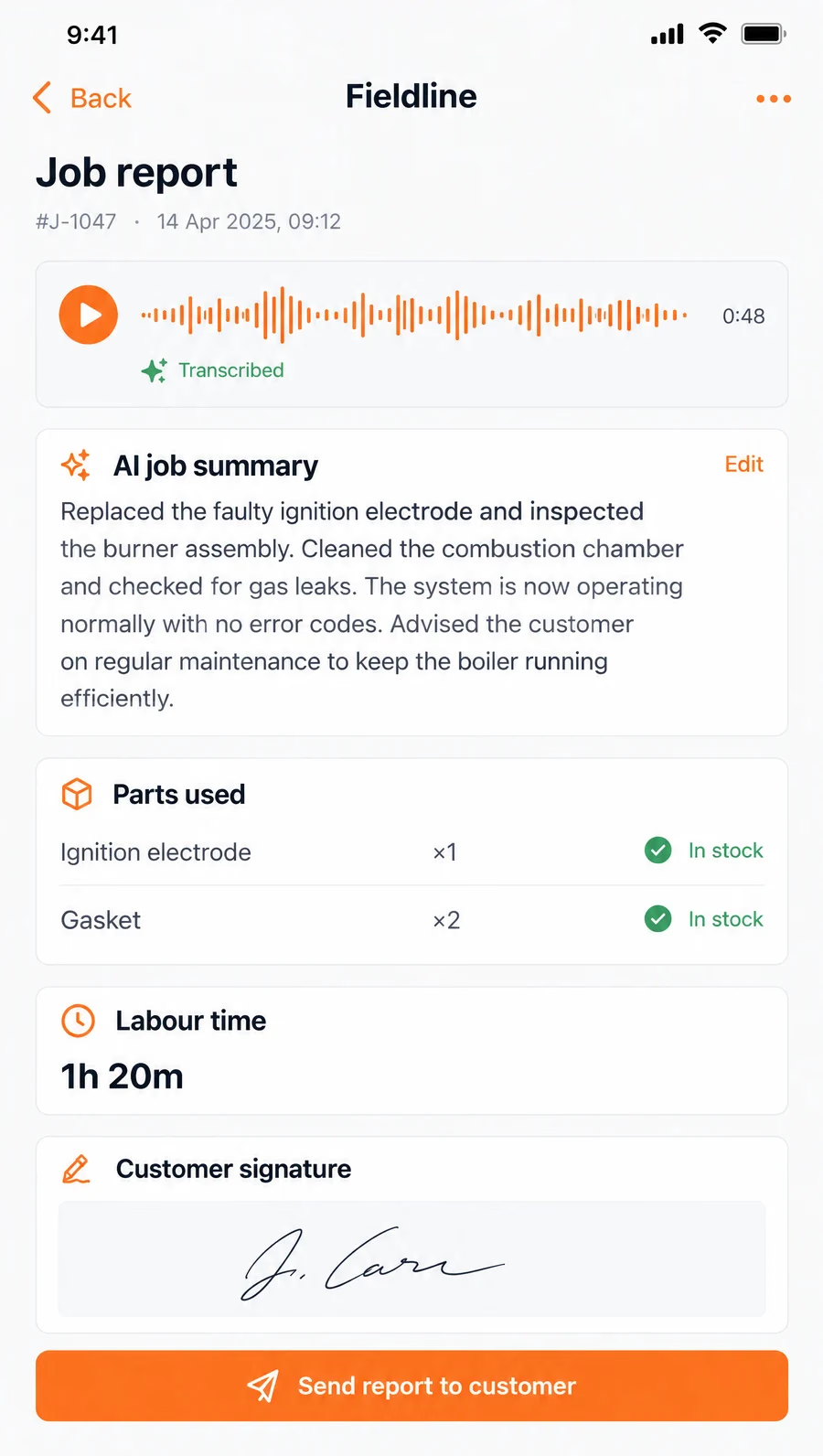
- After the job, the technician speaks for a minute. The app writes the report.
The AI part
Two small, checkable uses. First, speech to text and a short written summary of the job, which the technician reads and can edit before it goes to the customer. Second, assignment suggestions, which are plain rules (skills, distance, stock) with the model only explaining the choice. The dispatcher always decides.
Where it stops
No invoicing and no full stock management. The parts list is read from the existing stock system. Invoicing from finished jobs is a natural next sprint.
Timeline
| When | What happened |
|---|---|
| Weeks 1 and 2 | Jobs, technicians and skills data model; job API; map with live technician positions. |
| Weeks 3 and 4 | Day timeline with drag and drop, technician app with job list and checklists. |
| Weeks 5 and 6 | Offline mode, photos, parts used against stock, assignment suggestions. |
| Weeks 7 and 8 | Spoken job reports, customer report email, pilot with two technicians, handover. |