Why this sample
Couples who share a budget usually keep a spreadsheet that one of them updates, and the other never opens. Bank apps show spending, but not a shared plan. A small web app that both people can use on their phones is a typical Product-tier job: real users, real money data, and a high bar for privacy.
This is a sample build. There is no client, and nothing here is a result from a real company.
What it does
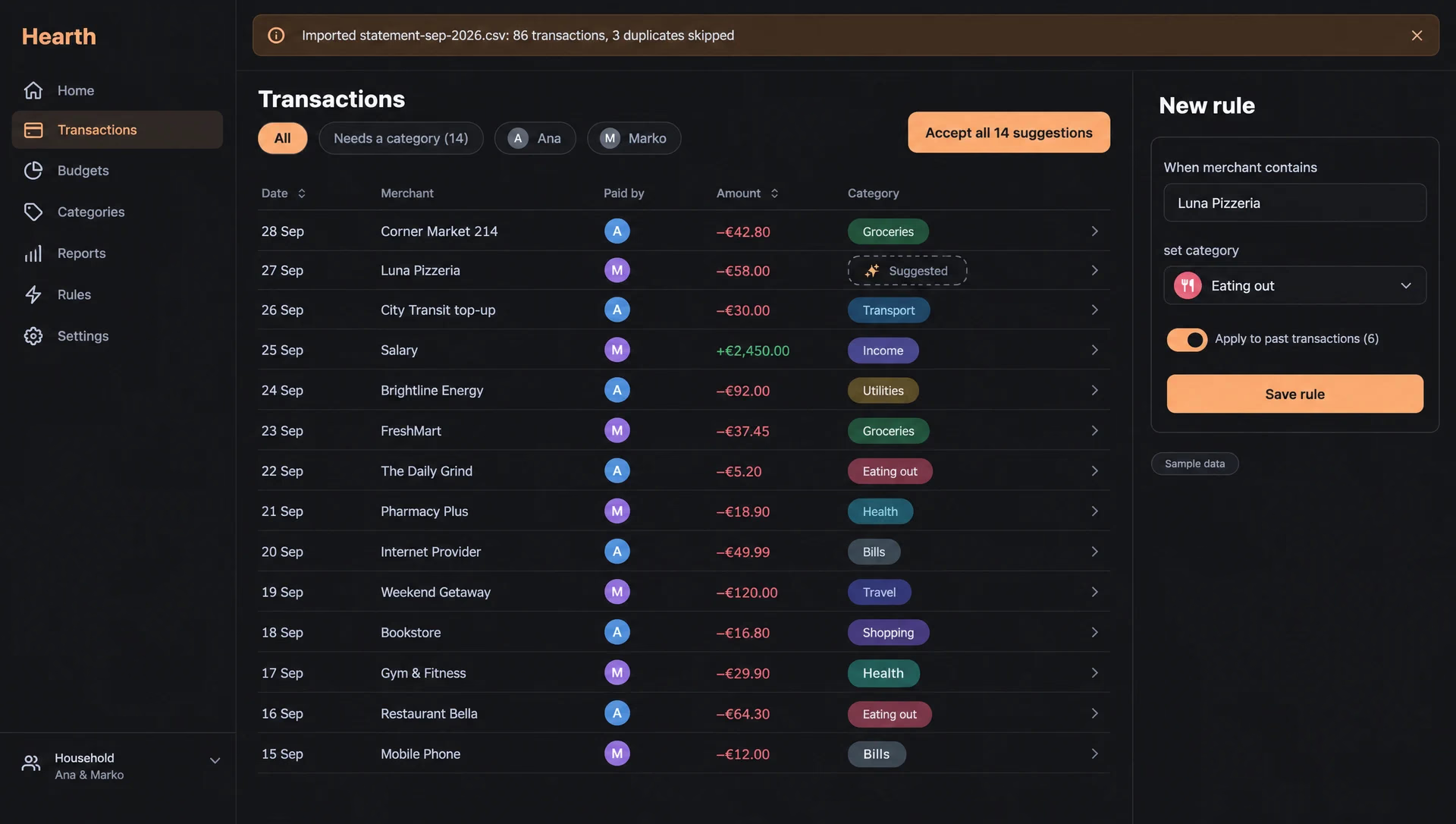
- Imports bank statement files and skips duplicates.
- Sorts transactions into categories, with rules the household sets.
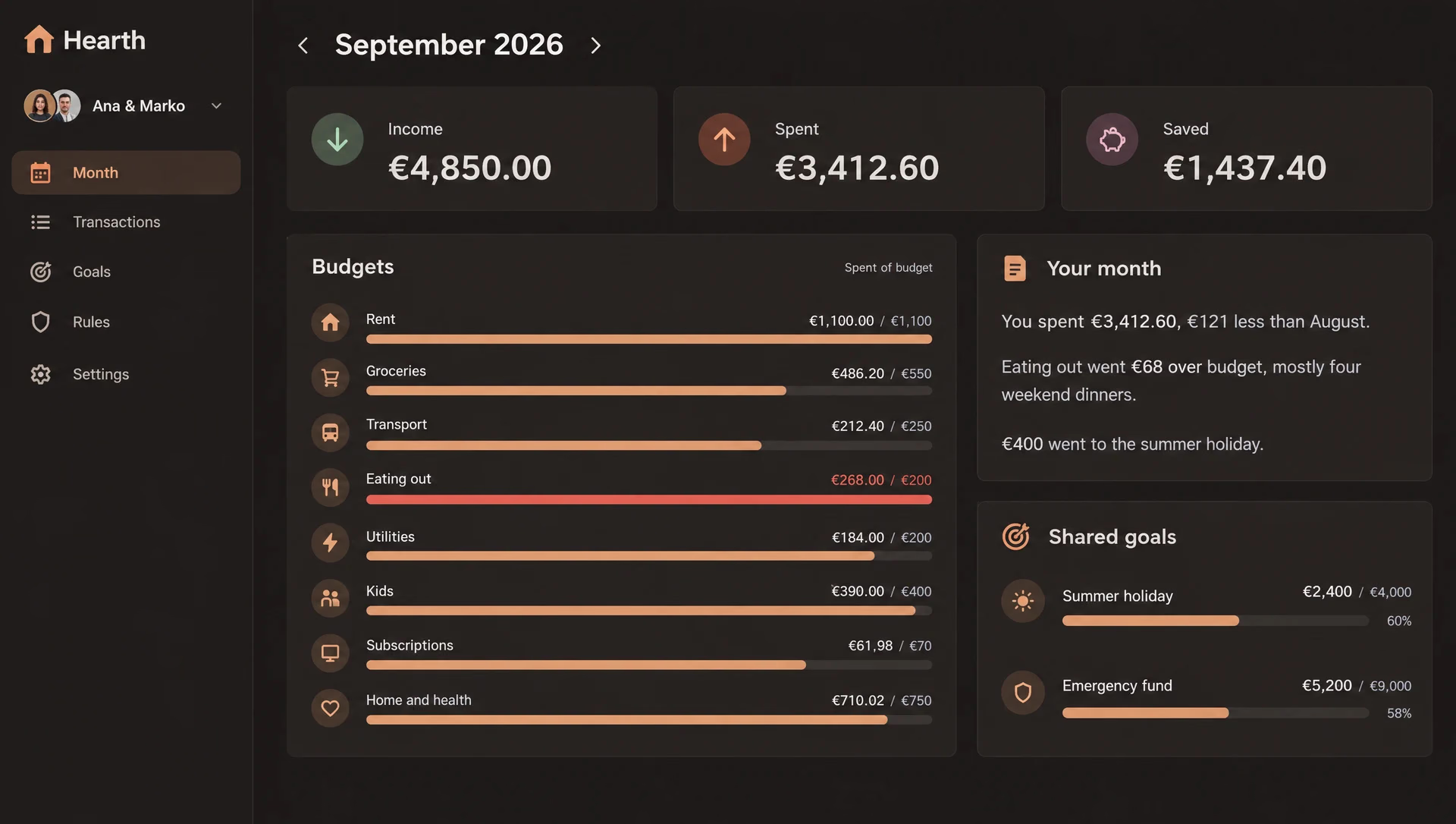
- Sets a monthly budget per category and shows where it went over.
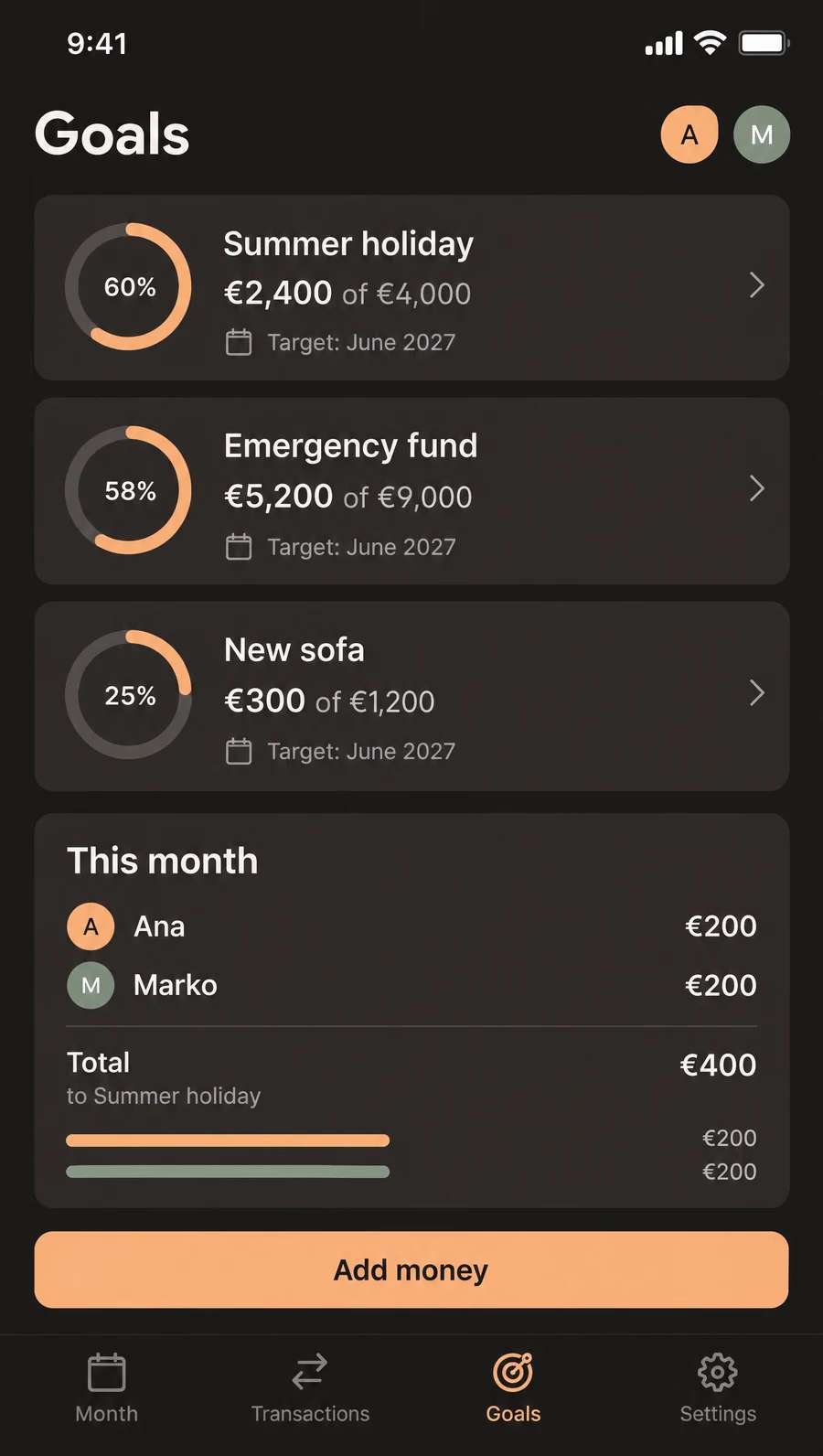
- Tracks shared savings goals and who put in what.
- Writes a short summary of the month in plain words.
- Works on a laptop and on a phone, for both partners.
The AI part
The model does two jobs. It suggests a category for each new transaction from the merchant text and amount, and the household’s own rules always win over it. And it writes the short month summary from totals the app has already computed.
It never moves money, never gives financial advice and never makes up a number. Every figure in the summary comes from the database, and a check in code compares them before the summary shows. We would test the suggestions on sample statements labelled by hand and count how often a household would need to fix a category.
Where it stops
No direct bank connection and no investment or debt advice. Statements come in as files. A live bank connection is a later step and needs a licensed provider.
Timeline
| When | What happened |
|---|---|
| Week 1 | Households with two logins, statement import for CSV, OFX and CAMT files, duplicate checks. |
| Week 2 | Categories and rules, the transaction list, bulk edits. |
| Week 3 | Category suggestions for new transactions, monthly budget per category, shared goals. |
| Week 4 | The month summary, phone layouts, data export. |
| Week 5 | Test run on sample statements, privacy texts, load test, handover. |