Why this sample
Small teams still key invoices in by hand. It is slow, and a typo costs money. This is a good Feature-tier job: one clear flow, one place for a person to say yes or no, and no need for a big platform around it.
This is a sample build. We made it to show how we scope and ship. There is no client, and nothing here is a result from a real company.
What it does
- Reads PDFs and images from a shared mailbox.
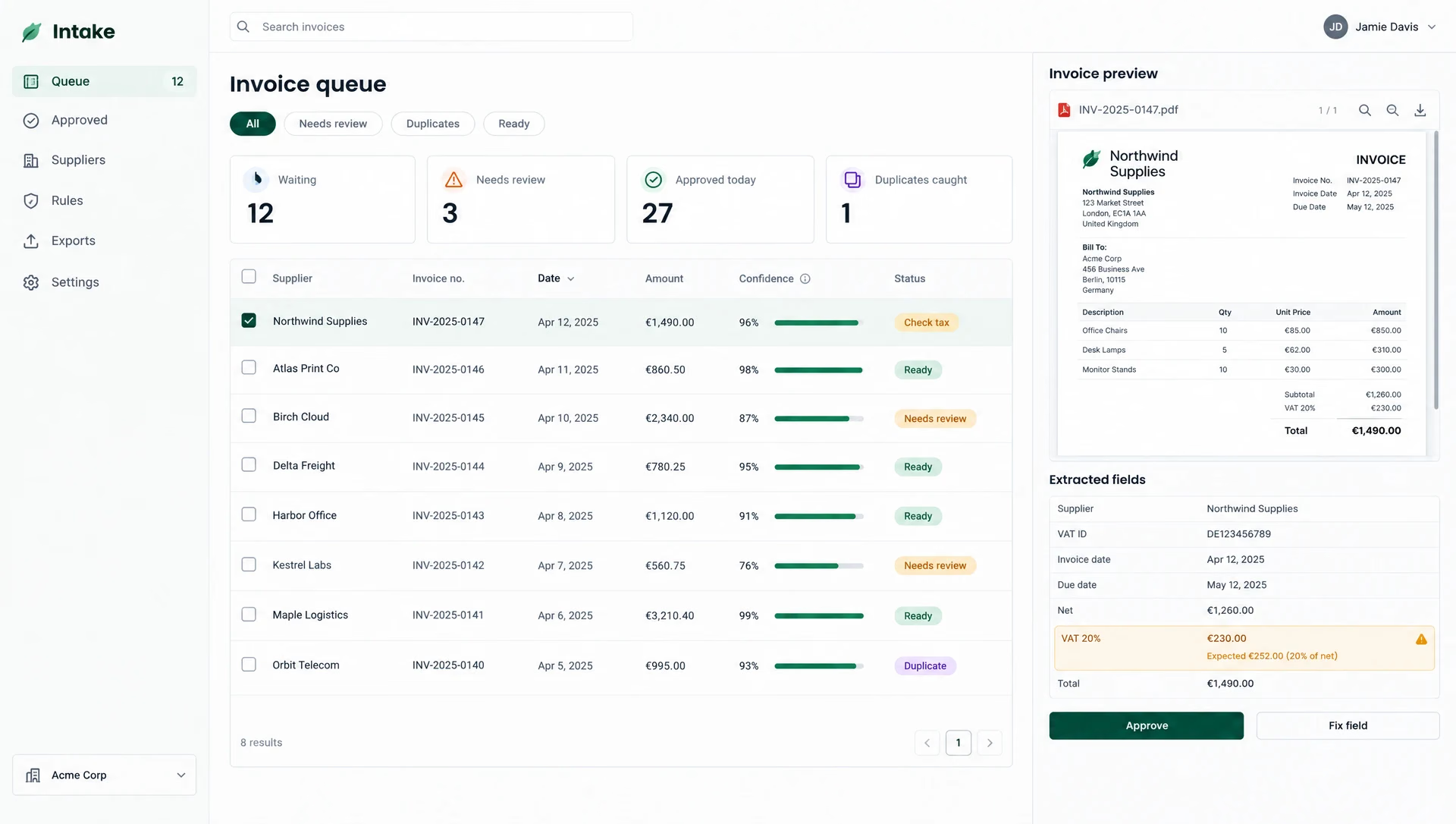
- Pulls out supplier, date, number, line items, tax and total.
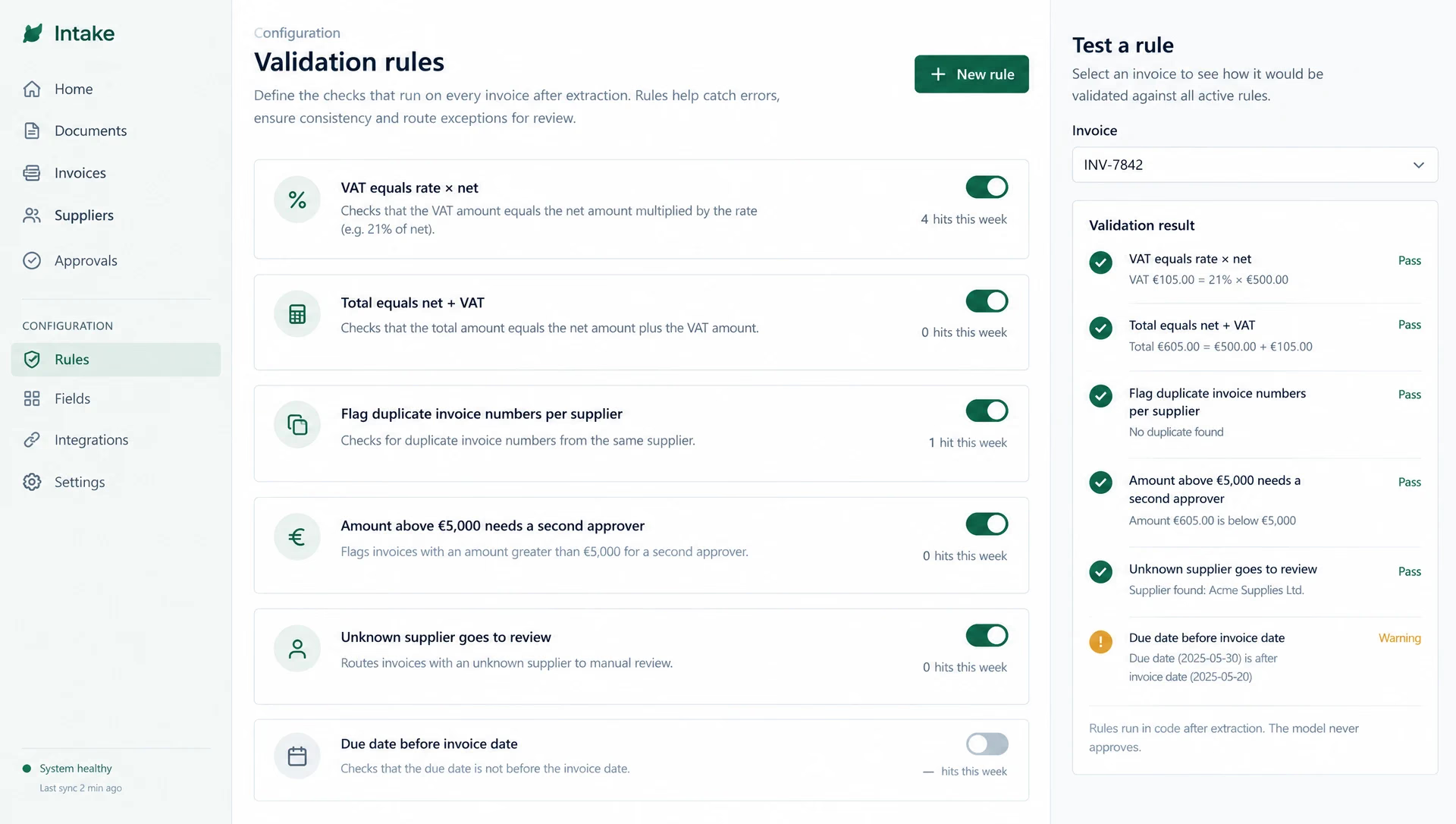
- Checks the sums and flags duplicates and odd amounts.
- Puts each invoice in a queue. A person sees the PDF on the left and the fields on the right, then approves or fixes.
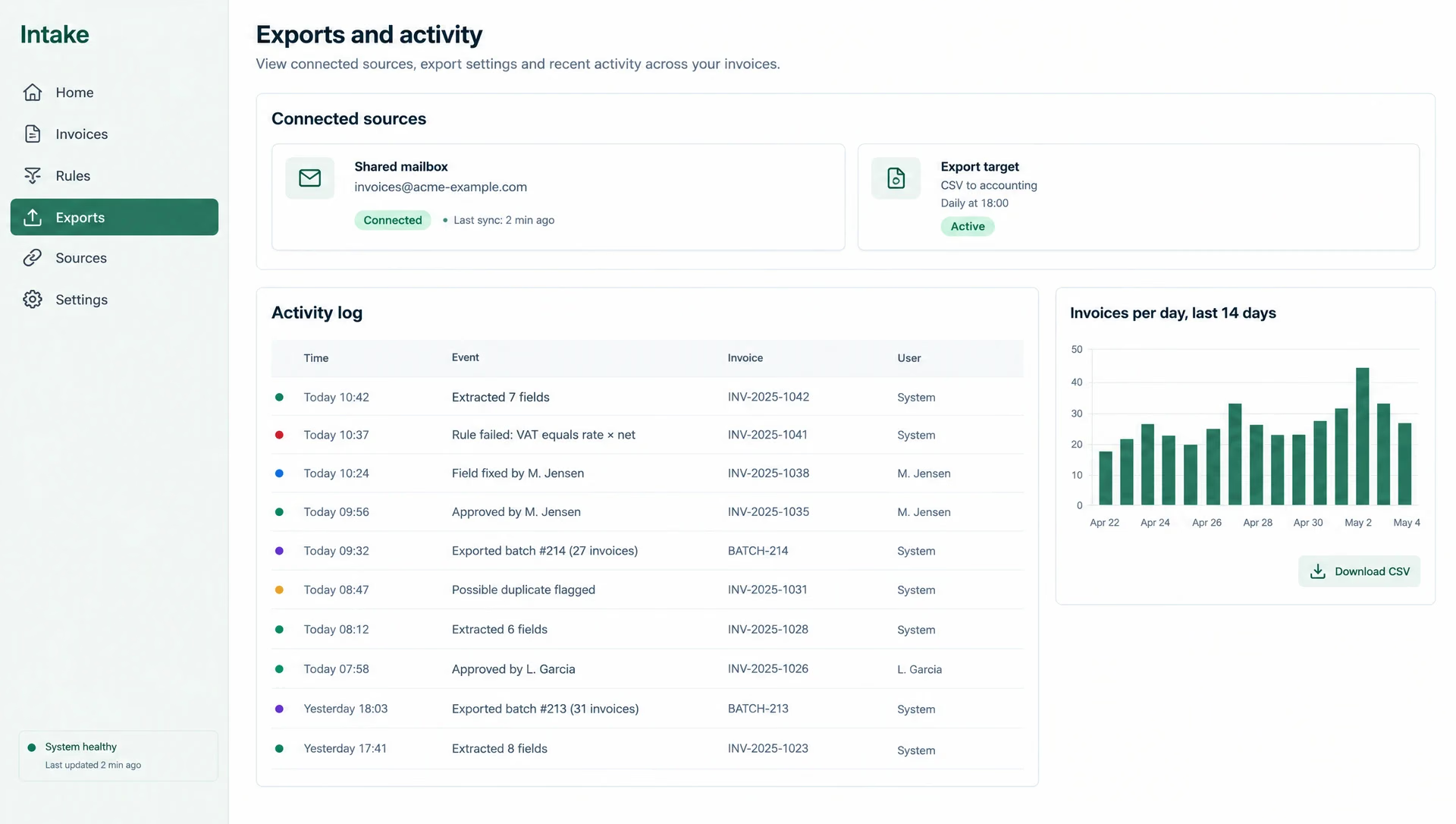
- Exports approved invoices as a CSV or to an accounting tool.
The AI part
The model reads the document and returns the fields as structured data. It does not approve anything. Plain code checks the sums and rules, and a person makes the final call. When the model is unsure, the field is marked and the invoice goes to the top of the queue.
We would measure it with a set of labelled sample invoices: how many fields are right, and how often a person has to fix one. We publish those numbers only for real client work.
What the team would hand over
- The running app in your cloud account, with the code in your repository.
- The field schema and the rules, written down so your team can change them.
- A short runbook: how to add a supplier, how to re-run a failed invoice, what to watch.
Where it stops
This build does not pay invoices or post to a ledger on its own. Those are separate, larger jobs. We would scope them as a Product-tier build.
Timeline
| When | What happened |
|---|---|
| Week 1 | Mailbox intake, PDF to text, the field schema, a first extraction pass on sample invoices. |
| Week 2 | Approval queue, side-by-side review screen, validation rules (totals, tax, duplicates). |
| Week 3 | Export, activity log, error handling for bad scans, handover and a short runbook. |