Why this sample
Support teams answer the same twenty questions all day, and the answers already live in the help center. A drafting panel is a clean Feature-tier job: it sits inside the tool the team already uses, and a person still sends every reply.
This is a sample build. There is no client, and nothing here is a result from a real company.
What it does
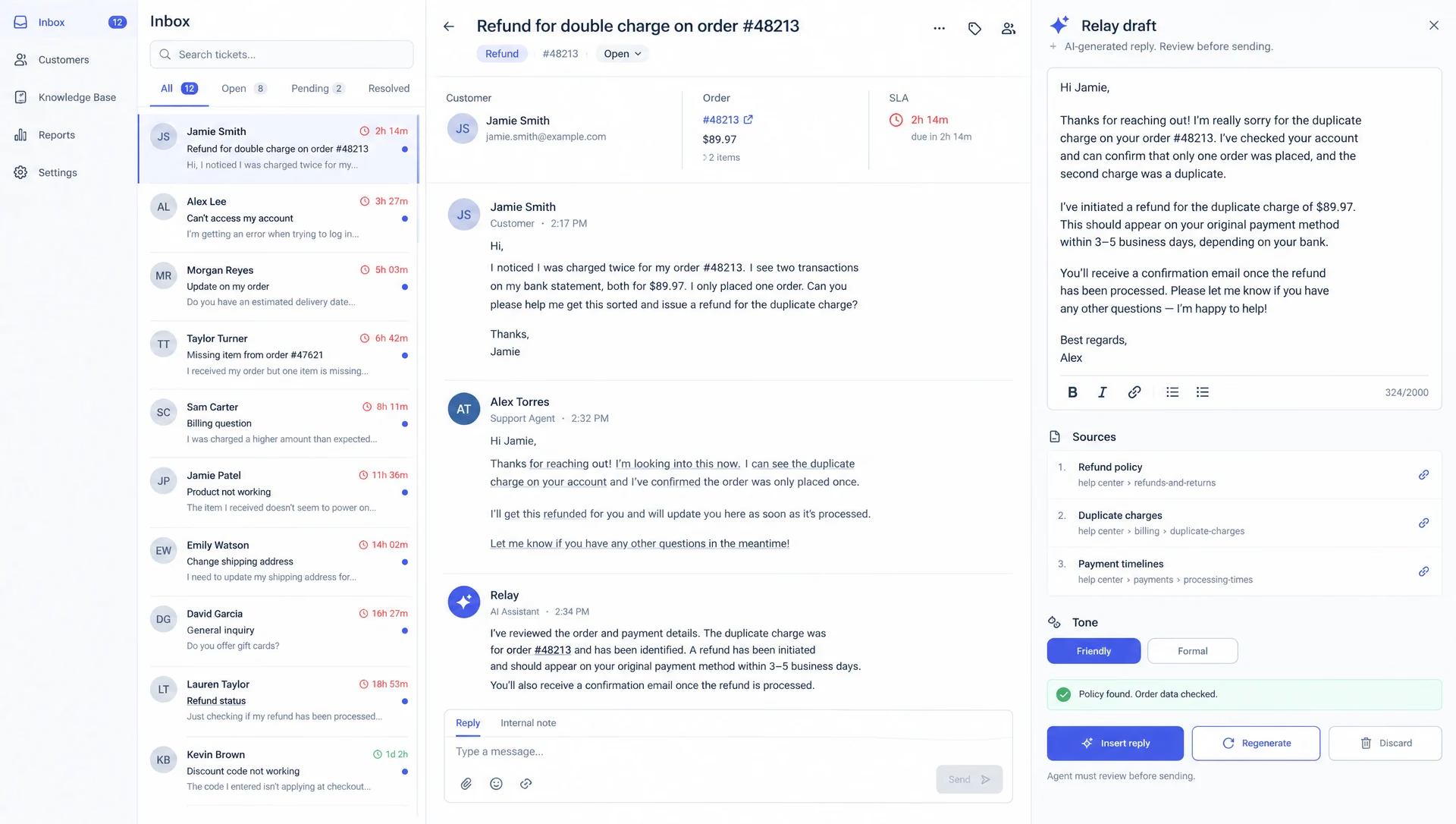
- Opens next to each ticket in the existing helpdesk.
- Drafts a reply from the help center, the written policies and the order data.
- Shows which articles it used, so the agent can check in one click.
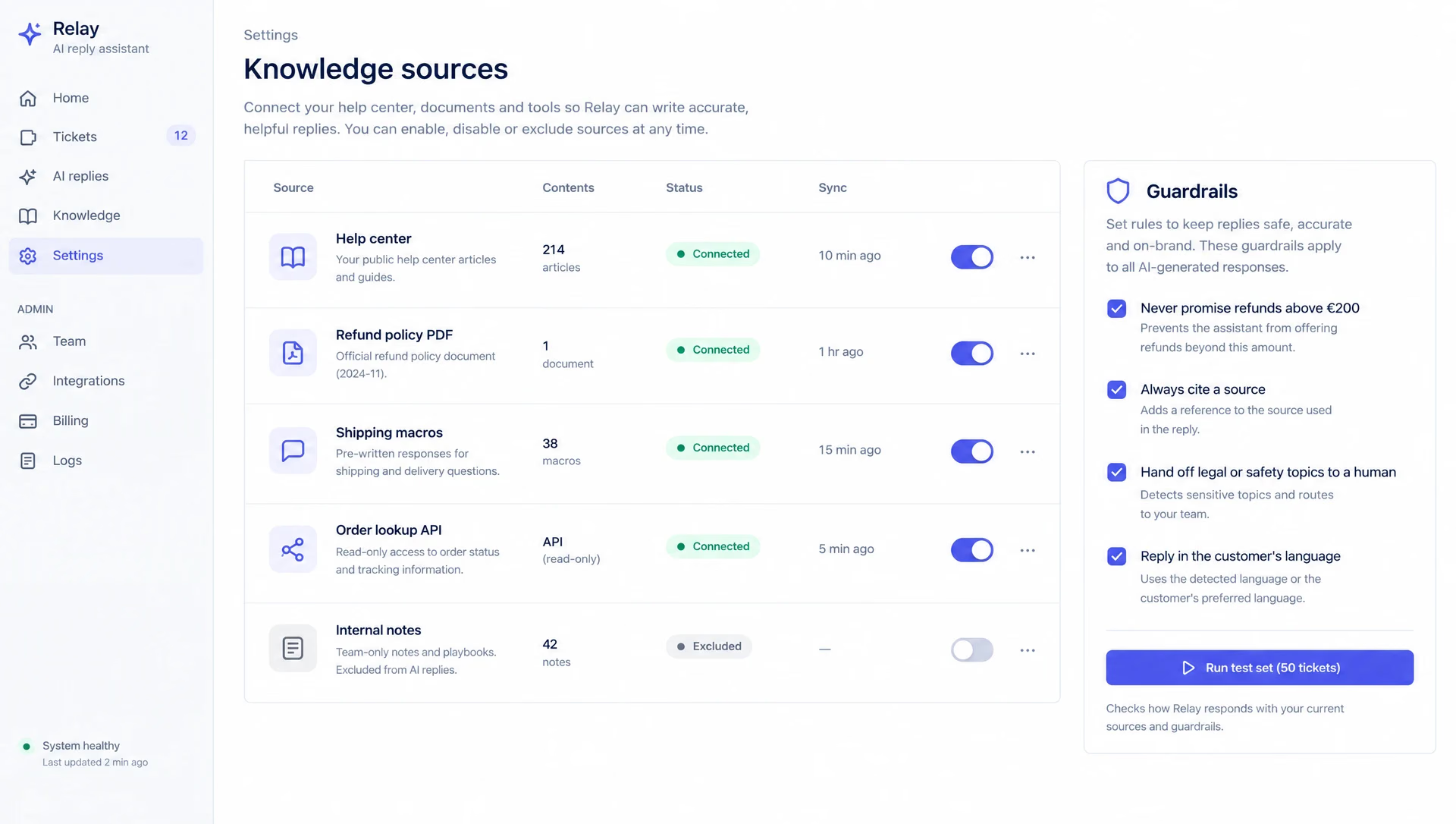
- Follows guardrails: no refund promises above a limit, legal and safety topics go to a person.
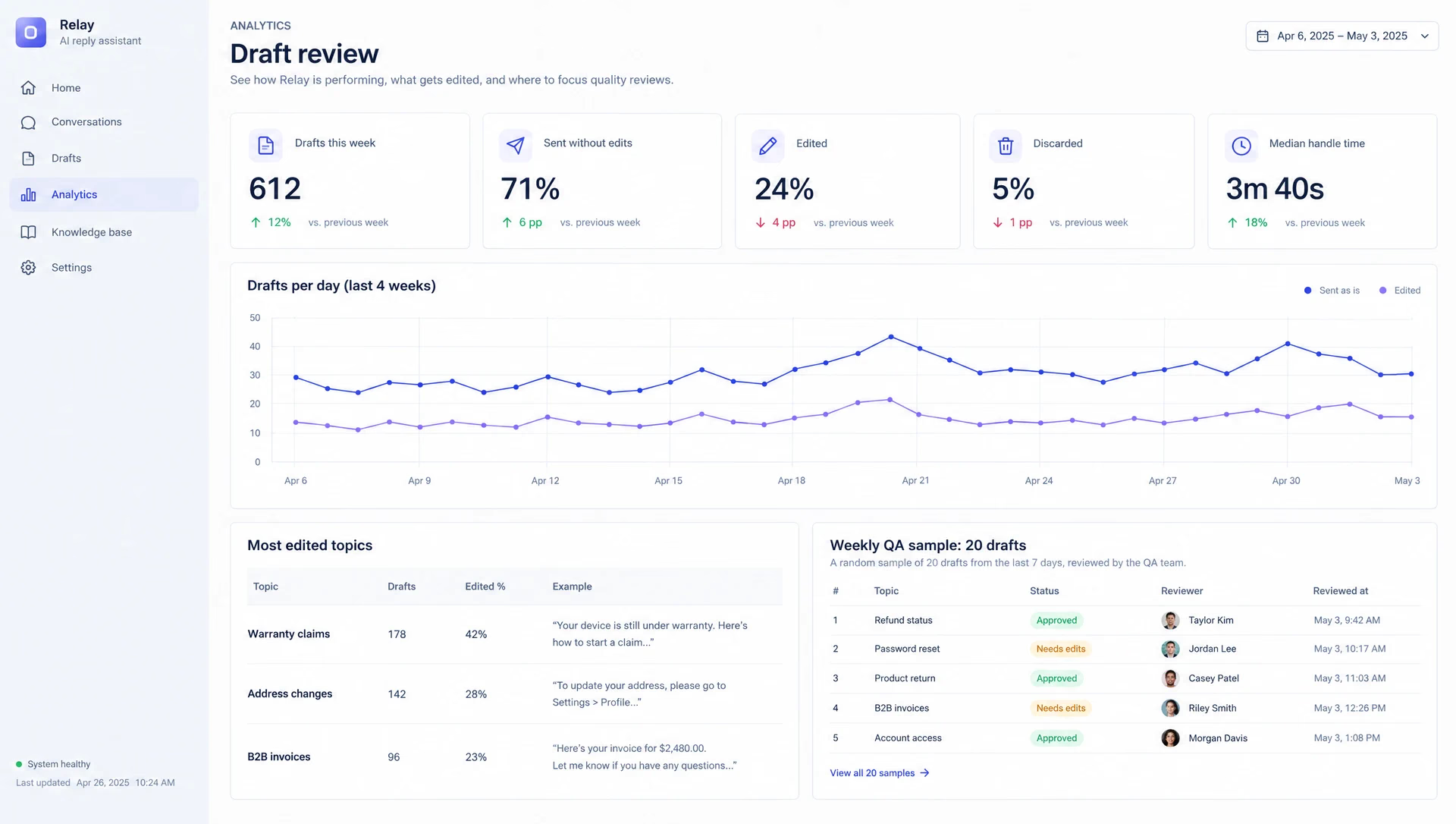
- Gives the team lead a weekly view of which drafts were sent as is, edited or thrown away.
The AI part
The model writes the draft and must cite at least one source. Retrieval runs over the help center and the policy files only. Order data comes from a read-only lookup, never from the model’s memory. If no source fits, the panel says so and does not draft.
Before rollout we would score the drafter on the test set of past tickets: how often the draft is usable as is, and how often it cites the wrong article.
Where it stops
The drafter does not send replies on its own and does not change orders. Auto-send for simple tickets is a later step, after the review numbers say it is safe.
Timeline
| When | What happened |
|---|---|
| Week 1 | Helpdesk app shell, help center sync, a test set of 50 past tickets with good answers. |
| Week 2 | Draft panel with sources, tone options, read-only order lookup. |
| Week 3 | Guardrails (refund limits, hand-off topics), the review page, a first scored run on the test set. |
| Week 4 | Fixes from the test run, rollout to a small group of agents, runbook and handover. |